Requiring MFA for everyone
Require of everyone who signs in to your workspace with a password. You need the System Admin , and a second factor of your own — see Enrolling and managing your second factor (MFA).
Go to Settings → Access → Security. The Two-step verification card reads Optional or Required.
Turn it on
Section titled “Turn it on”- Select the switch on the Two-step verification card.
- Confirm with Require it.
A message confirms Two-step verification is now required, and the card reads Required.
If you haven’t set up a second factor yourself, the switch is unavailable and the card says so. Select Set it up to go to your profile, then come back.
What your members see
Section titled “What your members see”- Members with a second factor keep signing in as before, and stay signed in.
- Members without one are signed out within the hour, as their current sessions expire. From then on, after their password we email them a one-time code to sign in with, every time, until they set up a method of their own. Their profile tells them so.
- Members who sign in with aren’t affected. Your identity provider applies its own multi-factor rules to them.
While it’s required, nobody can turn off their only method; they set up another one first. If someone loses their factor, you can still reset it for them — see Getting a locked-out teammate back in.
Turn it off
Section titled “Turn it off”Select the switch again. It takes effect straight away, with no confirmation, and a message confirms Two-step verification is no longer required. Members with a factor of their own keep it.
Every change to the requirement is recorded on the . See Reviewing the audit trail.
If your workspace signs in through WCP Hub
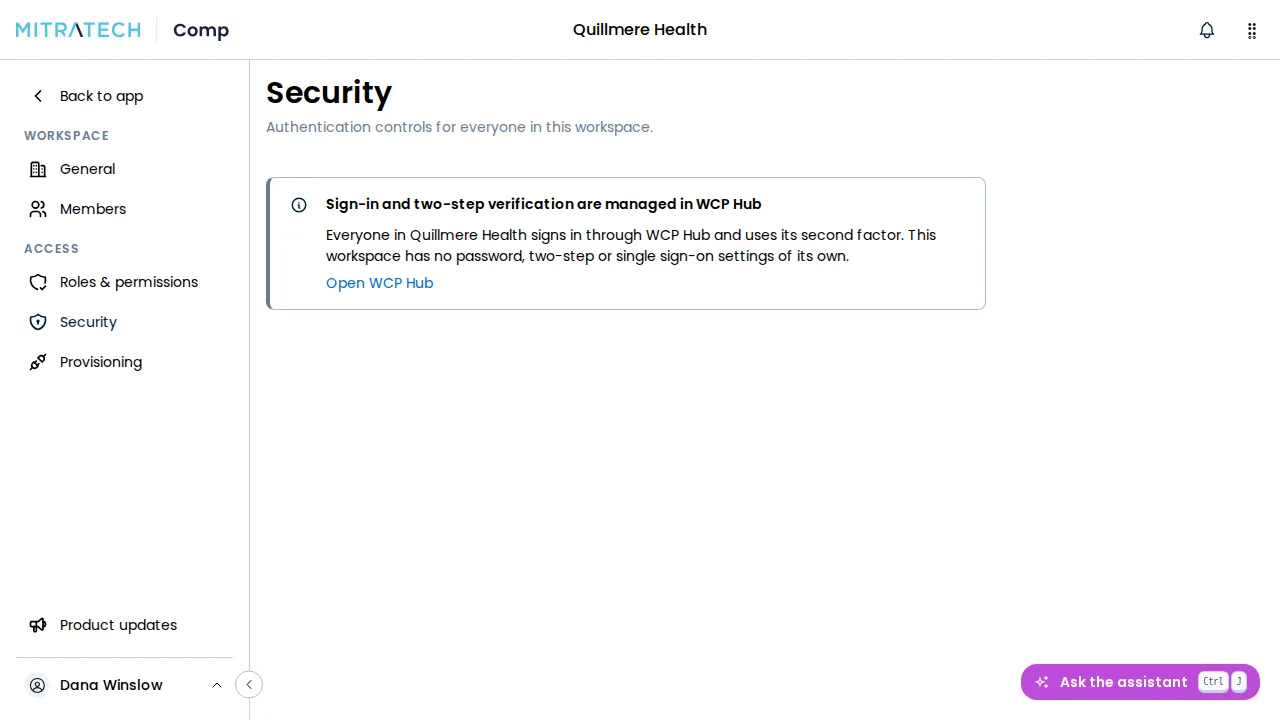
Section titled “If your workspace signs in through WCP Hub”A workspace on WCP Hub has no Two-step verification card. Hub’s second factor applies to everyone who signs in, and Settings → Access → Security shows a note saying that sign-in and two-step verification are managed in WCP Hub. Require it for your company in Hub. See Mitratech Comp on WCP Hub.