
The final review
Check what still stands between a cycle and closing, and clear it. You need the System Admin or Total Rewards Admin , and a cycle you have advanced to Approval — see Advancing a cycle.
A cycle can close only when two things are true: every is approved, and every is within its budget. The final review is where you see whether they are.
On the Overview tab
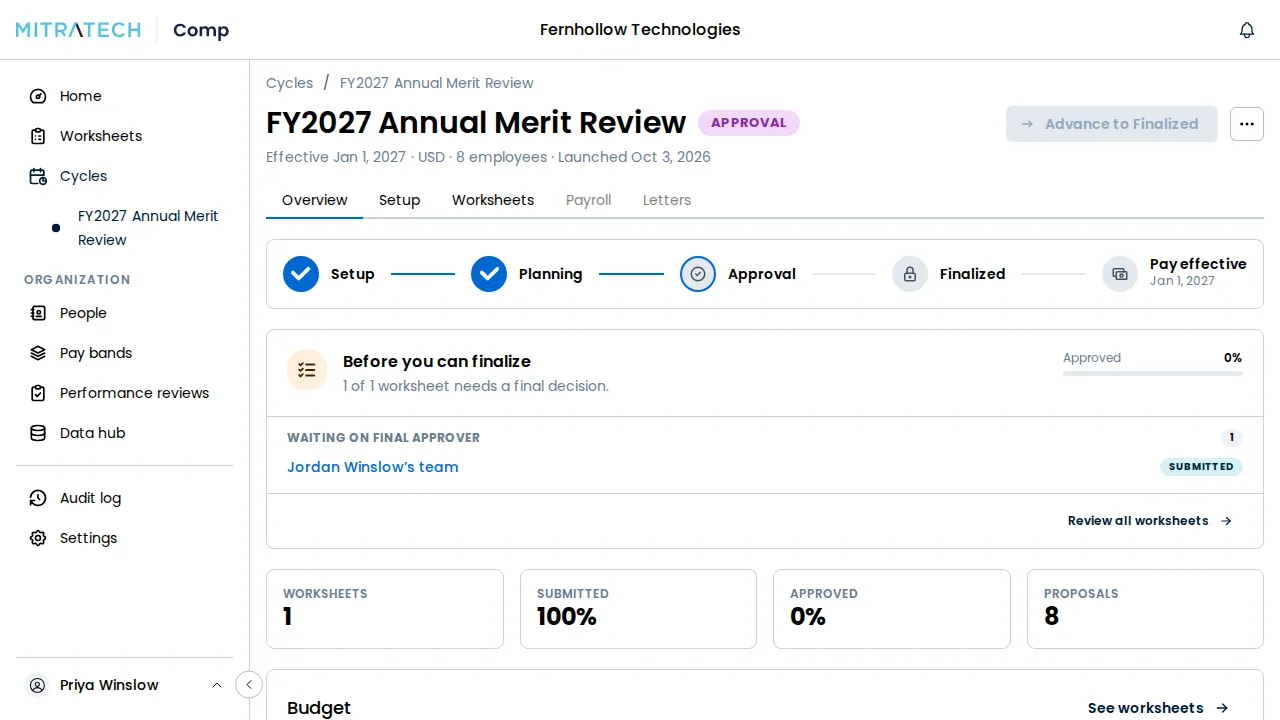
Section titled “On the Overview tab”Open the cycle; it opens on its Overview tab. While anything is outstanding, Before you can says how many worksheets still need a final decision and lists, all at once:
- each worksheet not yet approved, grouped by who has to act next — Waiting on an approver, or Waiting on the manager — and linked to the worksheet, with its status;
- each pool that is over budget, and by how much.
Beside the list, Approved shows the share of worksheets approved so far.
When any pool carries a soft or hard limit, Past a limit lists, per pool, how many managers are past each: Merit: 7 managers past the soft limit · 1 past the hard limit. It is information, not a blocker. It shows whether the cycle is ready or not, and it never keeps Advance to Finalized unavailable. A pool with no manager past a limit isn’t listed.
Advance to Finalized stays unavailable while that list has anything on it.
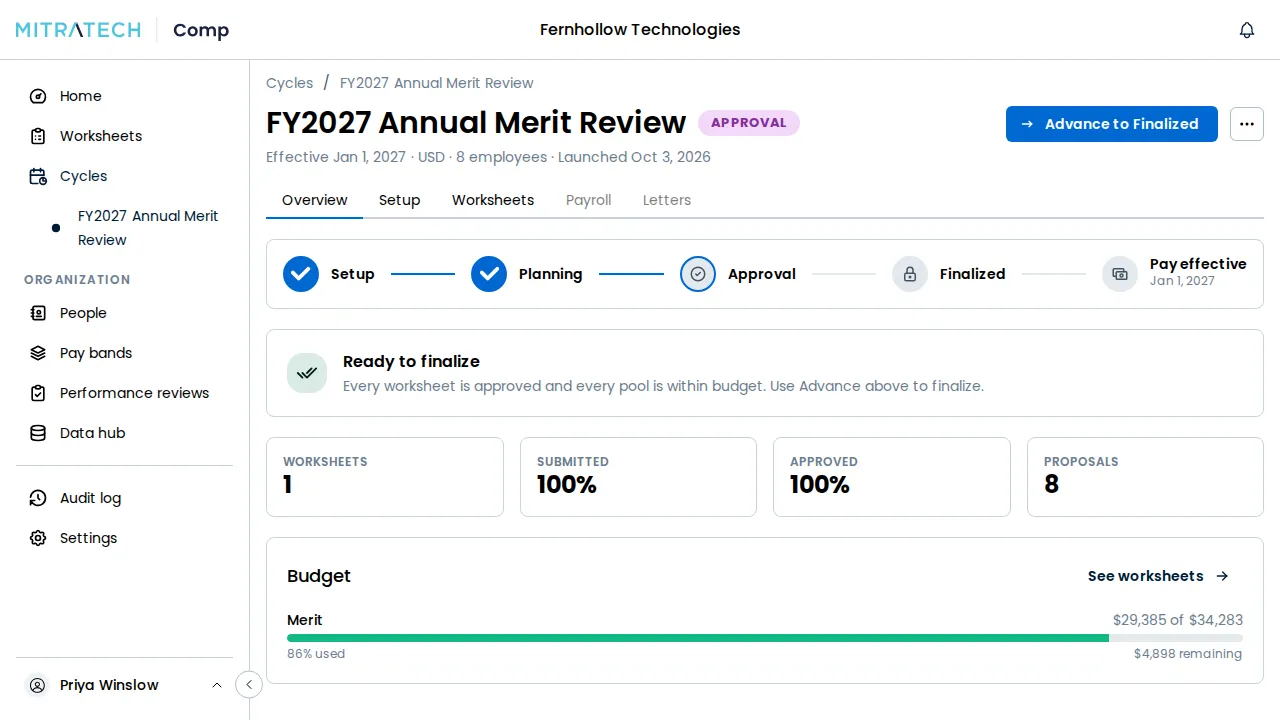
Once every worksheet is approved and every pool is within budget, the tab reads Ready to finalize: Every worksheet is approved and every pool is within budget. On Home, the cycle then appears under Needs you as ready to finalize.
On the Worksheets tab
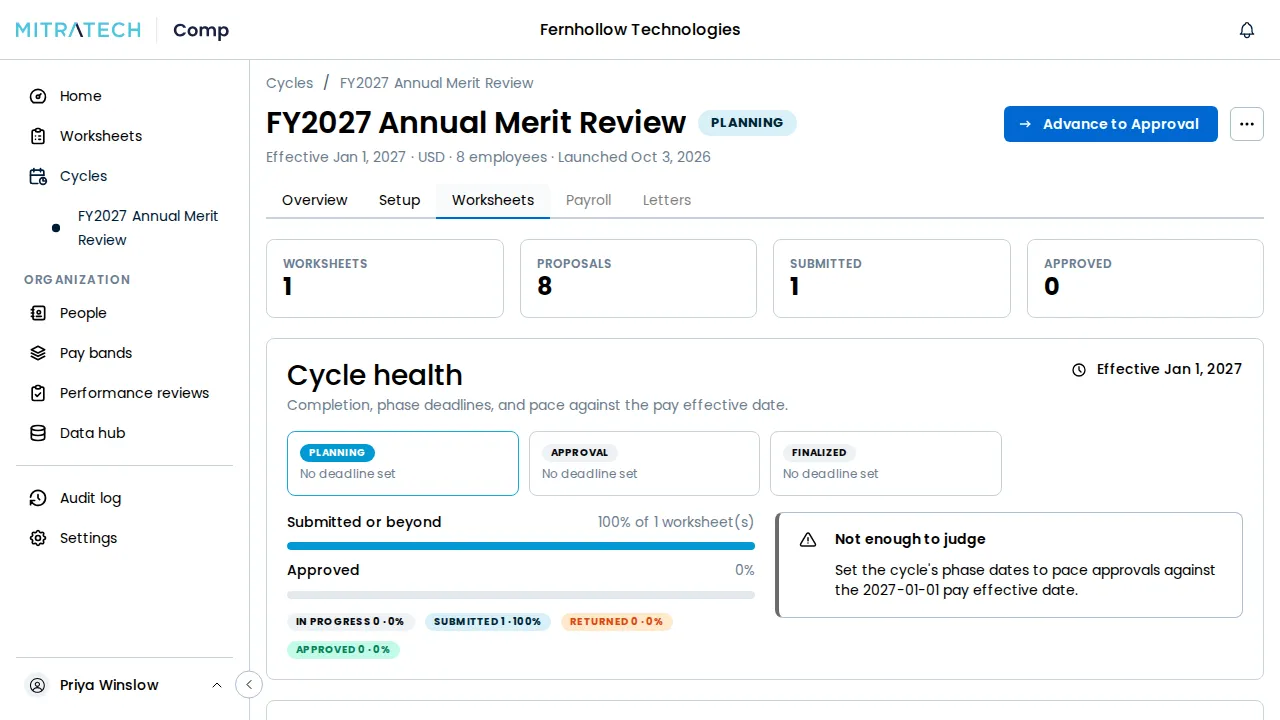
Section titled “On the Worksheets tab”Choose the Worksheets tab for the detail behind the list:
- the counts of Worksheets, Proposals, Submitted and Approved;
- Spend against pool, one meter per funding pool, red once a pool is over;
- the manager table, with each worksheet’s Status, how many of its proposals are Outside , and who it is awaiting. When everything is approved, it says Nothing outstanding — every worksheet is approved.
See Monitoring budget and approvals for everything the tab shows.
Clearing what is outstanding
Section titled “Clearing what is outstanding”Each worksheet is cleared by whoever it waits on. Being an administrator does not let you approve on an approver’s behalf; when an approver is away, a Total Rewards Admin can hand their step to someone else — see Monitoring budget and approvals. For what approvers do, see Approving or returning a worksheet.
Mitratech Comp checks again at the moment you finalize, so a worksheet or pool that changed since you last looked still stops the close. When the review is clear, see Finalizing a cycle, and what locks.